
Home / Services / Dynamics 365 + AI
We develop your Dynamics 365 F&O projects with Claude.
Claude works with knowledge of Microsoft's standard F&O code, your customisations and our team's shared experience, all at once. Claude speeds up the analysis, the code and the documentation. Approval, builds, testing and go-live stay with our team.
It knows more than the standard. It knows you and your system.
A general-purpose AI knows Dynamics 365 only as well as the documentation describes it. In the way we work, Claude reads the tables, forms, classes and existing X++ code in your development environment directly. It learns the customisations built for you and continues new work in a way that fits your existing structure.
The Microsoft standard is the design guide; your customisations are the map. Your code is not copied as a template. It is read so that Claude knows what you have.

Three layers of knowledge
When Claude is asked a question or given a piece of development work, it builds its answer from three sources.
Microsoft F&O source code
More than 140,000 chunks of code from Microsoft's standard packages (Application Foundation, Platform, Common), plus development guidelines. Held in a local vector database.
Your customisations
A catalogue of your custom objects and your documents sits in a separate collection. While it works, Claude also reads your code directly from the development environment.
What our team has learned
A continuously updated experience base fed by our developers' Claude agents: X++ pitfalls, build and synchronisation issues, lessons from forms and SSRS.
Five steps, four approval points
Every step has an owner, and every change leaves a trail.
Claude reads the code and the development database (read-only). It prepares the analysis document for the analyst.
X++ code is written after the analyst's explicit approval. Every change carries a Claude trail.
Test scenarios are prepared with AI support. Builds, synchronisation and testing stay with our team.
Every project gets user and analyst documentation.
AI writes the training documents, and our team trains the key users.
- Approval 1: the analyst approves the analysis document.
- Approval 2: code is written only after the "start development" approval.
- Approval 3: builds, synchronisation and testing are done by people.
- Approval 4: check-in and go-live are our team's decision. There is no write access to production.
A moment from real work
The analyst writes down a decision, Claude turns it into a task list and confirms it before writing any code. The screenshot comes from a report fix we carried out at Kisbu Group companies; session names and customer-specific wording have been hidden.
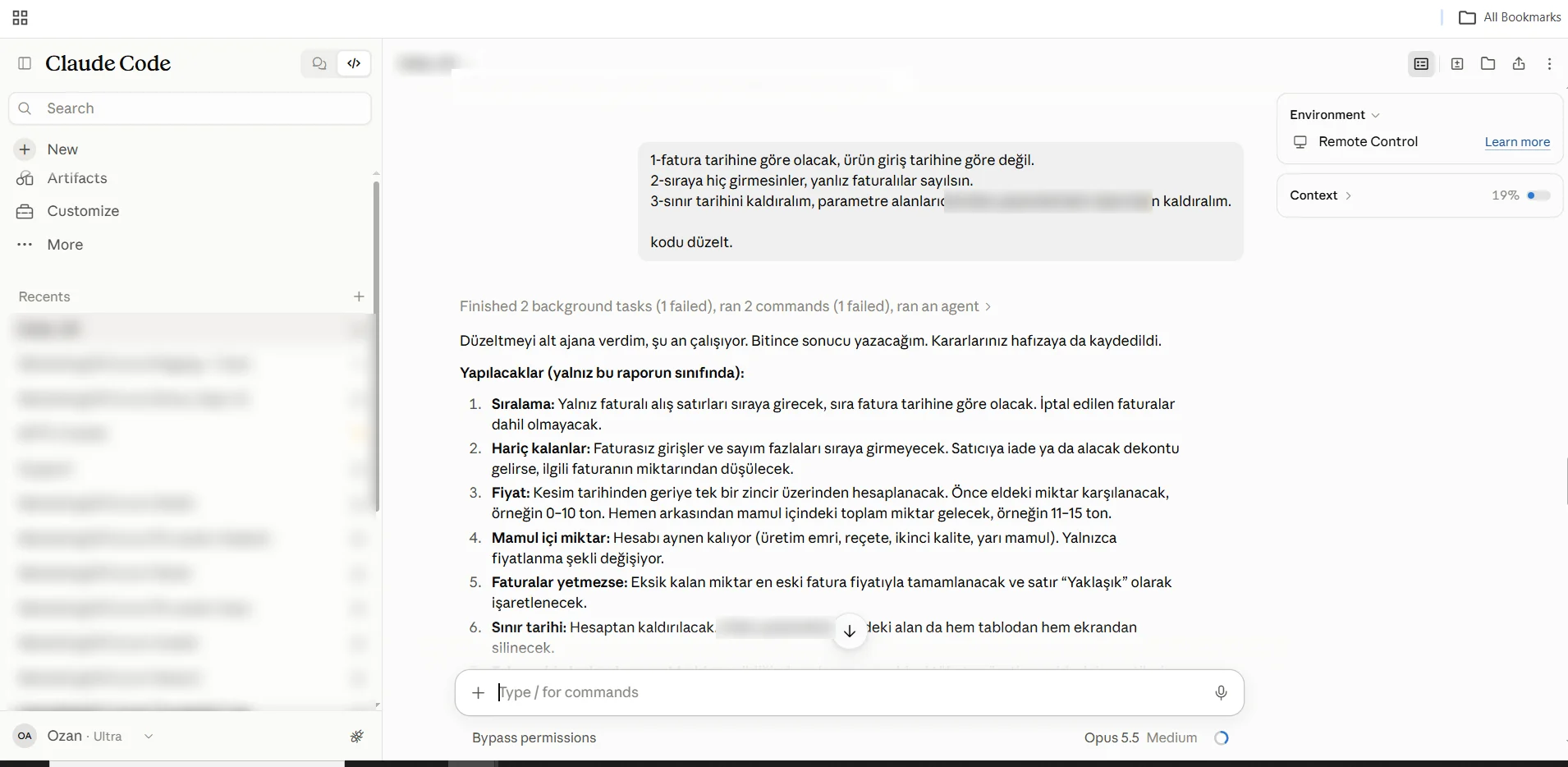
Traceable: it is always clear who wrote what.
Every change Claude makes carries a "Claude + date + reason" comment. New objects get a separate prefix. In a code review, in an audit, or years later when you are hunting for a bug, you can see what came from AI and what came from a person.
The rules are not left to the team's good intentions. They are built into the way we work: objects are checked out of source control before editing, and every changed object is added to the project.

Your data stays with you.
Your code and data stay in your own development environment. The vector index is local, and the embeddings are also produced by a local model. Claude processes only the context of the task it is working on; that context (the code chunks it reads and query results) is sent to the Anthropic API.
There is no write access to your production system. Builds and go-live are under our team's control.

Frequently asked questions
Does Claude write code directly to production?
No. Claude works only in the development environment and has no write access to production. Builds, testing, check-in and go-live are in our team's hands.
How does it learn our customisations?
It reads the objects and X++ code in your development environment directly. A catalogue of your custom objects and your documents is kept in a separate knowledge collection. New development is written to fit your existing structure.
Where does our data stay?
Your code and data stay in your own development environment. The vector index is local. Claude processes only the context of the task it is working on, and that context is sent to the Anthropic API.
Can you tell which code Claude wrote?
Yes. Every change carries a 'Claude + date + reason' comment, and new objects get a separate prefix.
Let's talk about your Dynamics project.
This is how we work at Kisbu Group companies. Let's work out together where to start on your system.
Get in touch